You may be asking yourself “What exactly is phishing?”. You may think it’s related to the actual activity of fishing, but that is not the case. “Phishing” is named after this activity, but has a much more malicious purpose than to that of fishing. They are fishing technically, but they’re fishing for your personal information (nicknamed phishing)…
Phishing Attack: Law Of Averages
Recognizing a phishing attack can sometimes be complicated for many individuals who are not familiar with the attack. Most of the attackers target thousands of people very quickly. In most cases, these attacks will come in the forms of text messages, instant messaging platforms (Facebook Messenger, Instagram, Discord), and even emails. If you’ve ever worked in sales, you’ve probably heard of the “law of averages”. The attackers use this strategy in their attacks. In essence, the more people you send the attack out to, the more likely you are to get a bite (get it, “fishing” or “phishing”).
How do I recognize a Phishing Attack?
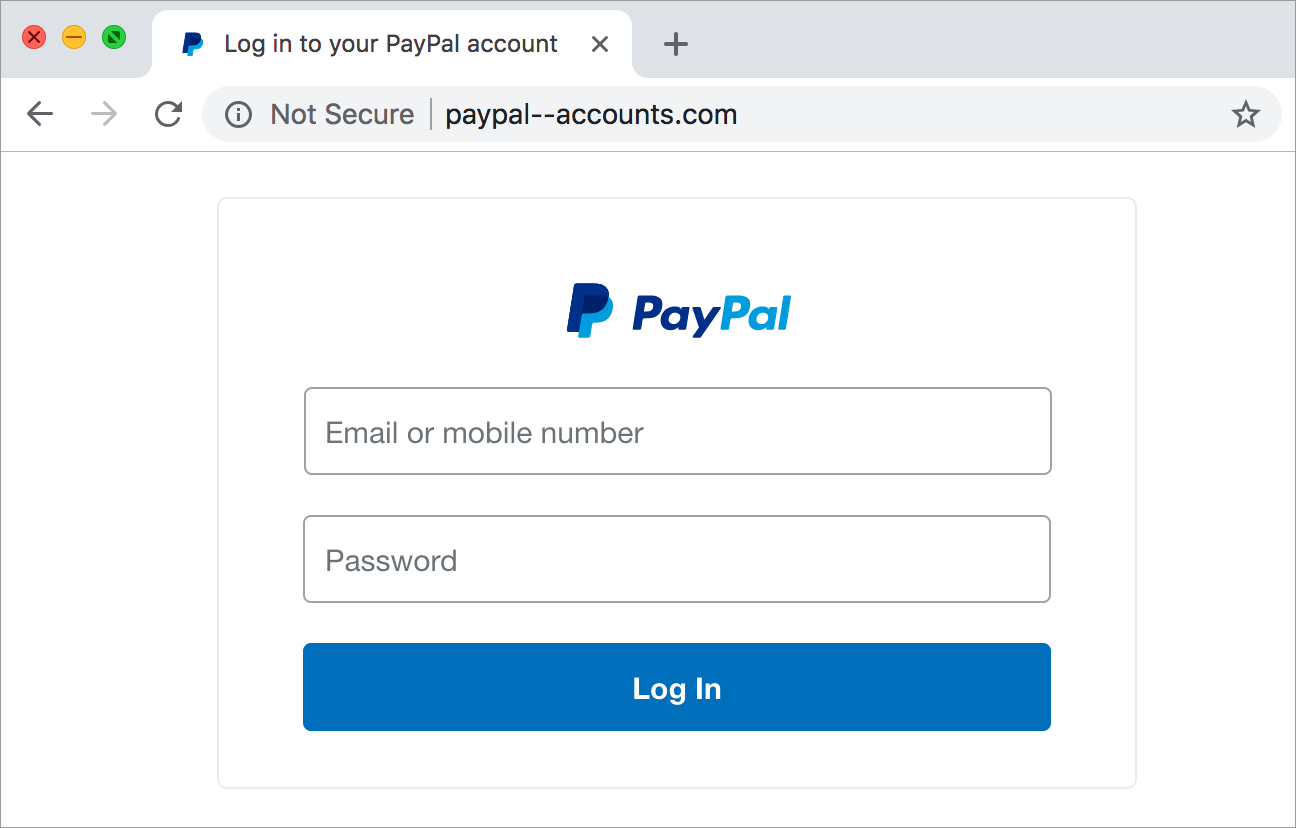
Many phishing attacks are located on weird looking website links, so they can hide the actual domain you are being taken to. However, sometimes they can make the website links actually look believable. For an example, notice the example below of a phishing website for PayPal.
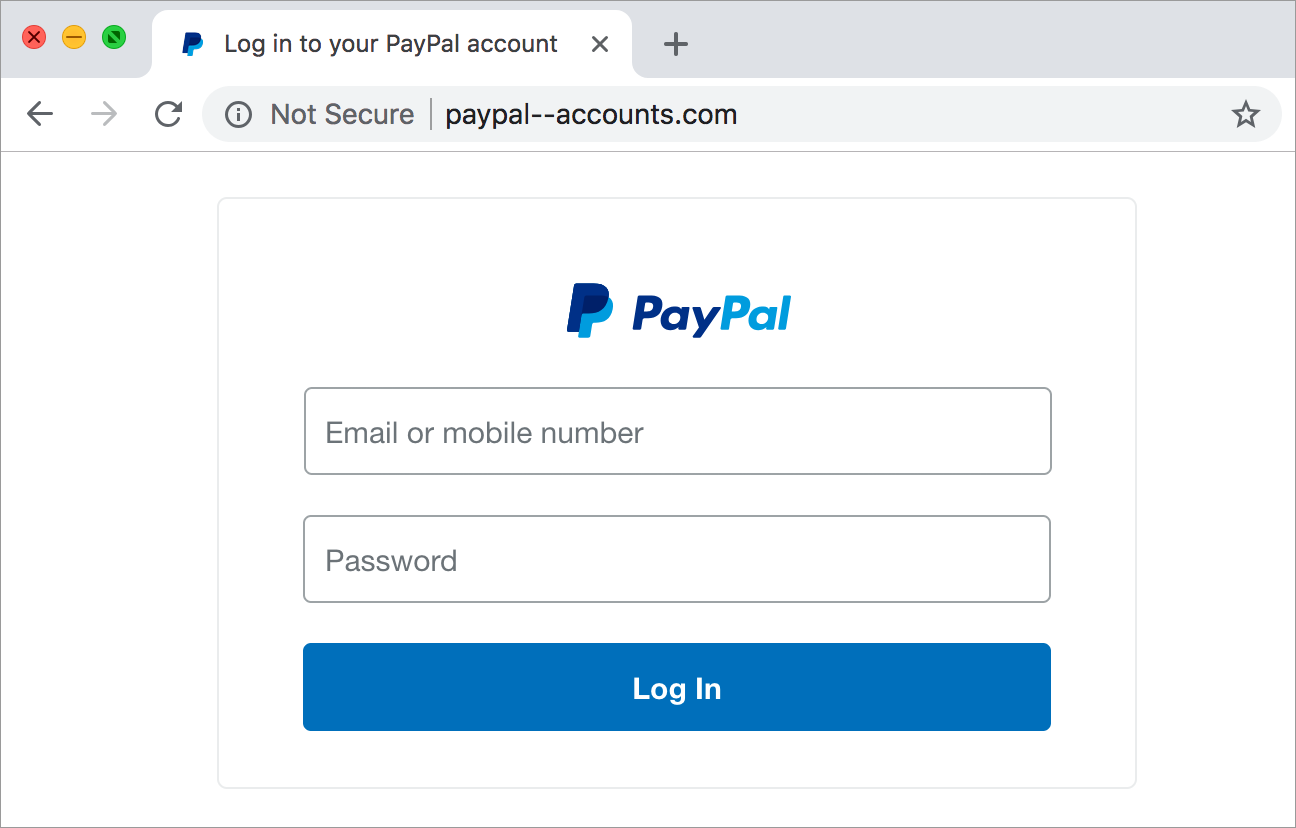
This looks like a real login form for the PayPal website, however if you look at the top bar you’ll see the URL reads paypal--accounts.com which is not the actual PayPal website being paypal.com. This website is also not using SSL (Secure Socket Layer) which encrypts your traffic when you send information between the server and it sends information back. When you login to this fake login form, the attacker will have saved your email/phone number you provided as well as your password. They now will be able to login to your PayPal account at a later date, give themselves money, and potentially even change your password. Many individuals will use the same password for multiple services because it’s more convenient, but this just makes it easier for the attackers. Sadly, the attackers also know this is very common and they will usually use this login information on multiple services to steal as many of your accounts as they can.
How do I protect myself?
The number one way in protecting yourself from phishing attacks is to be properly informed. There is no real way to fully filter out phishing attacks as attackers are always trying to find efficient ways in stealing people’s information for malicious purposes. There are steps you can take to better circumvent these malicious actors’ attempts however.
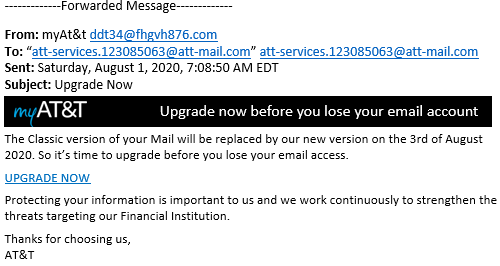
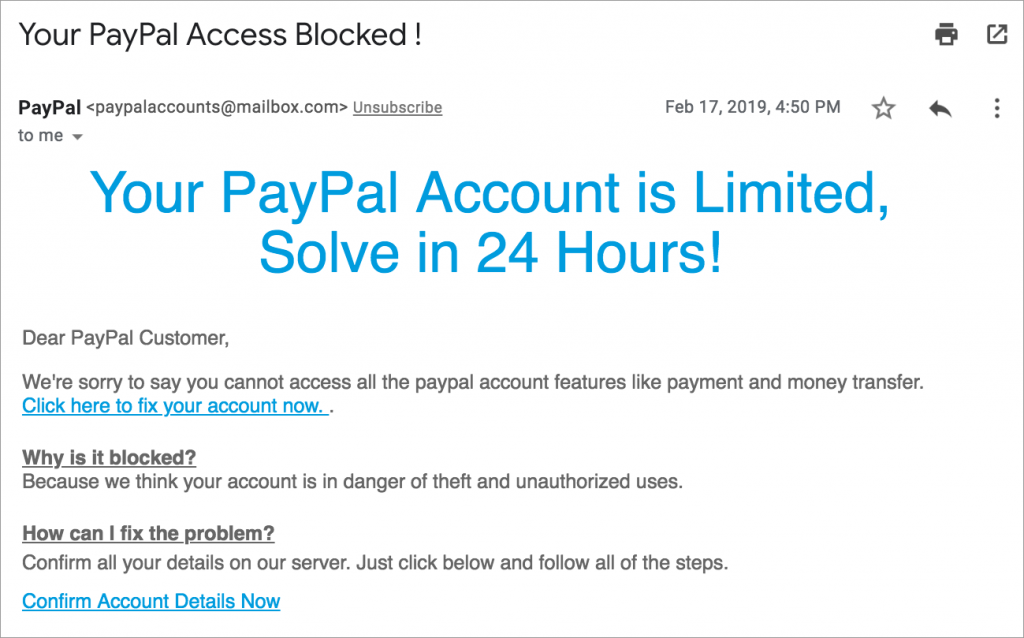
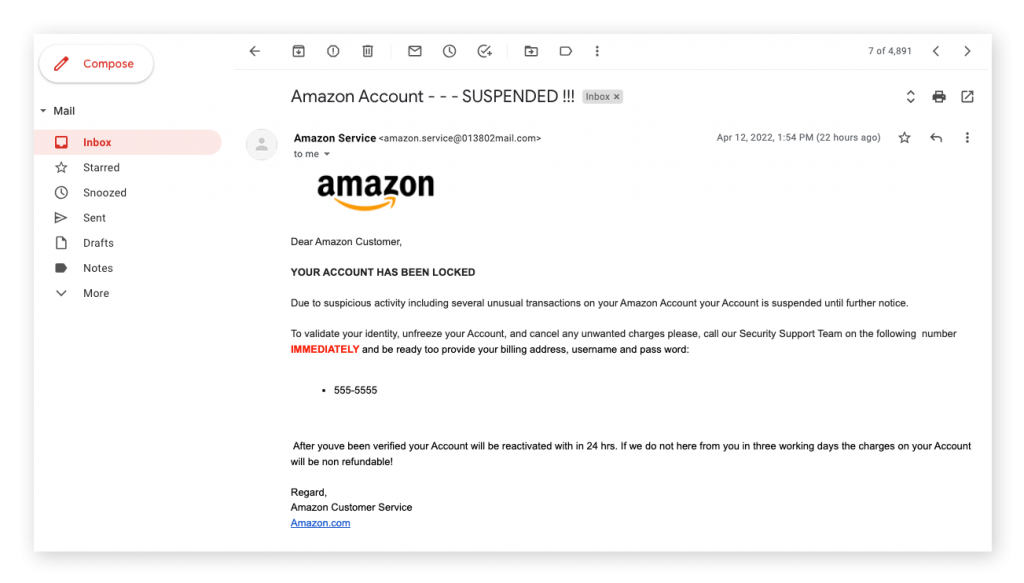
If it’s an email, you can check the sender information. Normally the sender information can be spoofed to represent simple names such as PayPal and other business/company names. To better figure out if it is a valid email from the company, you should check the domain name the email came from. For example, an email from PayPal would most likely originate from a domain such as paypal.com and not paypal---accounts.com. If it’s a website, you can check the domain name in the address bar of your browser. Again, the domain would be paypal.com, but not paypal---accounts.
Phishing Attack examples